

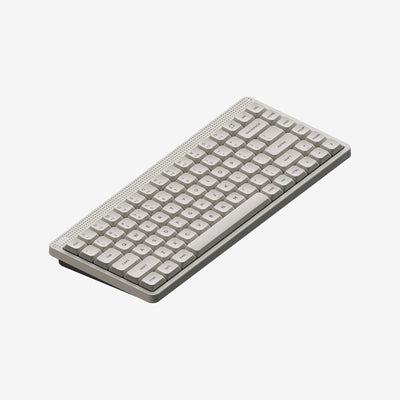
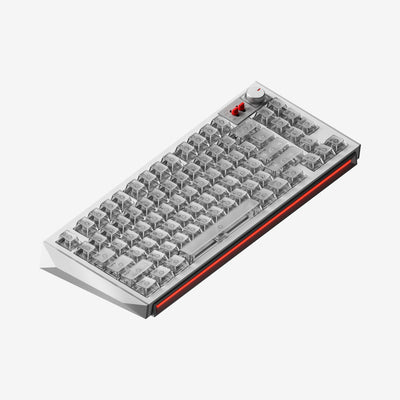

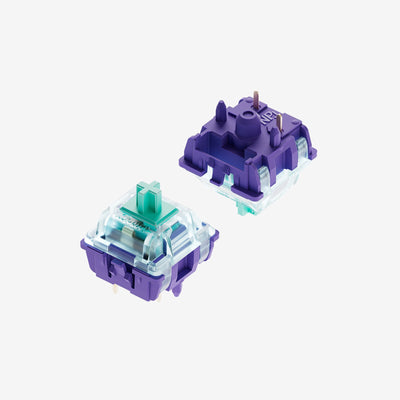


BH65 All-Aluminum Magnetic Switch Keyboard
Only 0.125 ms delay for all keys.
16k Hz full-key scan rate with an 8k Hz polling rate, featuring a 0.125 ms delay and "zero" delay function triggers, delivering a professional esports experience.
220 Mesh All-Aluminum Body.
220 mesh glass sand anodized for a fine texture, with a silky smooth metal touch. The all-aluminum alloy CNC integrated molding process provides substantial weight, preventing easy movement on the desk.
All-Aluminum Body. Crafted from aerospace-grade aluminum alloy, featuring integrated smooth lines and a metallic feel. The surface undergoes anodizing treatment for enhanced strength and durability, providing excellent heat dissipation while delivering a solid and stable tactile experience.
Black Hole Light Trails. Merging deep sci-fi elements with stunning light effects, it presents a mysterious visual representation of a black hole attracting light. This creates a dynamic sense of light being consumed, evoking an immersive atmosphere akin to deep space.
Iridescent Prism. Combining light refraction with gradient flowing effects, it creates a prism-like spectrum of ever-changing colors. At different angles, it presents multi-layered iridescent refractions, making light and shadow an integral part of the desktop.
RT 0.01mm
Fully Adjustable Travel,
Trigger Without Touching the Bottom
With a maximum scale of 0.01mm for full key height precision adjustment, it ensures accurate key triggering, allowing for quick and stable emergency stops.
100% Self-Developed Driver
Easily Control the Entire System
Real-Time Upgrades, Quickly Responding to Player Needs. Firmware can be upgraded via NuPhy.IO , allowing for real-time updates of key functions, ensuring that each BH65 is more powerful than when first purchased. With Nuphy.IO, customizing your keyboard is as simple as a few clicks. From adjusting RGB lighting to programming macros, you can easily create a setup that matches your exact needs perfectly for both beginners and enthusiasts alike. *The 6 advanced keys can also be customized.
N.U.A Second Generation Self-Developed Magnetic Switch Algorithm
Introducing Adaptive Stabilization Algorithms. Dynamically calibrating keys to match your pressing habits for an enhanced user experience!
Zero dead zone for continuous touch
Empowering Every Critical Battle
Unlock Your Victory with a Wealth of Advanced Key
Rapid Trigger
You can freely set the reset and re-trigger points of the keys, so the keys do not need to be fully released to stop triggering, allowing for quick stops. The RT function can set the shortest reset and re-trigger points at 0.01mm.
Rapid Shift
Determines which key to trigger by comparing the key travel depth of the two designated keys.
SOCD
When both bound keys are pressed, you can set a priority to choose to trigger only one of the keys, or neither.
Hyper Tap
By adding another key you want to trigger at the reset point of the RT key travel, you can stop the triggering of the original key while simultaneously triggering the bound key during the key release action. This helps counteract the inertia from character movement, achieving a faster stop.
Designed for High-Frequency Gaming
Enduring operation without hand fatigue
Top-emitting LED
Revolutionizing Industry Standards.Reducing the temperature of the LEDs minimizes the impact on the accuracy of Hall sensors, enabling higher precision. It also reduces PCB openings, allowing for a more
focused keyboard sound for a more Hi-Fi experience.
Floating Shock Absorption Structure. Comprehensively reduces resonance, all for the purest typing experience.
DIY Shell Components
Build your own starship. We will open source the decorative hole positions on the BH65 outer shell. You can choose to download existing design files, use 3D printing for installation, or create unique accessories based on these designs. * BH65 3D printing files
The Universe is Infinite
In the vastness of the universe, filled with people,
Their busy minds are overflowing.
I want to press the teleport button,
Leave everything within 30 square meters and escape at superluminal speed.
Crossing the Brack-Hall light curtain,
Arriving at the secret base located at universe mc².
Using the code of 65 stars across the black hole to unlock the password,
"BH-65."
Time and light will stand still at the singularity.
Explorers at the source of starlight,
Do not hesitate.
IN THE BOX
PRE-BUILT KEYBOARD
1 x BH65 Keyboard
1 x 1.5m (59 inches) Cable
1 x Keycap/Switch Puller
4 x Additional Screws
1 x Quick Guide Download
1 x 1.5m (59 inches) Cable
1 x Keycap/Switch Puller
4 x Additional Screws
1 x Quick Guide Download
TECH SPECS
SPECIFICATION
Layout: ANSI 65%
Number of Keys: 68
Switch Type: High-Profile Magnetic Switches
Stabilizer Type: Plate Mounted
Mount Type: Tray mount
Power-Off Replaceable Switches Support: Yes
N-key Rollover Support: Yes
Backlight: Top-emitting LED
Backlight Modes: 20
Compatible System: macOS/Windows/Linux/Android/iOS Operating Environment: -10 to 50℃
Number of Keys: 68
Switch Type: High-Profile Magnetic Switches
Stabilizer Type: Plate Mounted
Mount Type: Tray mount
Power-Off Replaceable Switches Support: Yes
N-key Rollover Support: Yes
Backlight: Top-emitting LED
Backlight Modes: 20
Compatible System: macOS/Windows/Linux/Android/iOS Operating Environment: -10 to 50℃
CONNECTION
Wired Polling Rate: 8000Hz
PCB Scan Rate: 16000Hz
PCB Scan Rate: 16000Hz
MATERIALS
Keycap:PBT
Keyboard :All-aluminum body
SIZE AND WEIGHT
Long 321.5 mm (12.66 inches)
Wide 114.8 mm (4.52 inches)
Back Height 29.9 mm (1.18 inches)
Front Height 20 mm (0.79 inch)
Weight 1103 grams (2.43 pound)
Type Angle 6.0º
Wide 114.8 mm (4.52 inches)
Back Height 29.9 mm (1.18 inches)
Front Height 20 mm (0.79 inch)
Weight 1103 grams (2.43 pound)
Type Angle 6.0º
Frequently Asked Questions
How do l choose between the Magnetic jade PRo switch and the Magnetic jade Gaming switch?
With the same parameters, the Magician PRO switch offers a more Hi-Fi sound, while the Magician Gaming switch provides greater precision.
How is the stability of the keyboard?
220 Mesh All-Aluminum Body: This design features a robust all-aluminum body with a 220 mesh pattern, ensuring strength and a sleek, modern appearance.
Shell-like Structure: The keyboard features a shell-like structure, providing both durability and a sleek aesthetic.The integrated footrest also enhances the keyboard's stability, resulting in better performance during gaming.
Where can l update the firmware?
You can update the firmware at NuPhy.IO. When updating the firmware, make sure to connect the data cable and select the corresponding BH65 keyboard on the NuPhy.IO platform to make adjustments.If you experience unresponsive keys after updating the firmware, you'll need to calibrate the keys according to the instructions on the NuPhy.IO page to restore normal functionality.
How can l adjust the keyboard lighting?
You can freely adjust the keyboard's backlight and sidelight.After entering NuPhy.IO, connect your keyboard device. Start NuPhyIO > Select the mode > Lighting Effects. In the lower left corner of the page, you can select lighting mode. Some keys can be found on the keyboard simulation diagram above for partial adjustments.
What are some more interesting ways to use the keyboard?
The BH65 features two decorative holes on the top and sides. We will open-source the designs for these holes, allowing you to download existing design files and use 3D printing to create your own accessories. We look forward to seeing your unique DIY creations, which you can share on social media. There may be related events in the future! *Download BH65 3D Printing Files
100%would recommend this product
12 reviews
- HMHE7VEN M.Verified ReviewerRated 5 out of 5 stars3 weeks agoAwesome keyboard
148 US dollars is kinda expensive, but overall I really enjoyed the keyboard, satisfying sound and really quiet, amazing for games like Geometry Dash, I love that RGB lighting is not really bright and flashy, and the software is incredible, u can change anything u want, literally ANYTHING, lighting, keybinds, rapid trigger, and way more features! the cable has amazing colour and design, really great keyboard!!
- SPSiskipiski P.Verified BuyerRated 4 out of 5 stars2 months ago10 out of 10 for eSports, but the typing and price are a letdown.
Insane keyboard for esports, especially Geometry Dash — literally zero input lag. Only downside is the typing feels kinda meh, and the switches wear out pretty fast.
- JHJesper H.Verified BuyerRated 5 out of 5 stars4 months agoVery nice keyboard
Been loving the keyboard since i got it. The switches are so smooth and the response time is insane. All the features such as rapid trigger and the rgb are also so nice. The software at first was a bit unusual, but just 2 days later it updated and now it looks wayyy beter and i can use every feature now. Love it <3
NNuPhy®4 months agoThank you so much for your amazing 5-star review, Jesper! We're absolutely thrilled to hear that you've been loving BH65 since you got it! 😊
It's fantastic that you're experiencing just how smooth the switches feel and that insane response time—that's exactly what we engineered BH65 to deliver! We're so glad you're enjoying features like rapid trigger and the RGB lighting too. Those are some of our favorite aspects that really set BH65 apart and make it such a versatile performer.
Your feedback about the software experience is really valuable to us! We're so happy to hear that the recent update improved the look and functionality for you, and that you can now access all the features seamlessly. Our development team is constantly working on software improvements, so it's wonderful to know that the updates are making such a positive difference in your experience.
Thanks for choosing NuPhy and for sharing such an enthusiastic review with the community! Your love for BH65 really comes through and it's incredibly helpful for other customers to hear about your experience! ❤️
- MCMark C.Verified BuyerRated 5 out of 5 stars6 months agoTop quality keyboard
After previously owning Corsair and Razer keyboards, at far more expensive price points than the BH65, I'm stunned at the solidity and quality of the NuPhyX BH65. It's got some real weight and the typing ergonomics and acoustics are sublime. Really easy to configure via the web-based interface and extremely responsive in gaming and productivity, it's my new all-time favourite keyboard. Looks great in my gaming set-up, too. Highly recommended!
NNuPhy®4 months agoThank you so much for the amazing 5-star review, Mark! 😊 We're excited to hear that BH65 has become your all-time favorite—especially coming from premium brands! It means a lot to us that you’re loving the build quality, ergonomics, and acoustics. We're also glad the web-based interface makes setup a breeze and that BH65 is performing great for both work and gaming. Thanks for choosing NuPhy and sharing your experience with the community! ❤️
- MmacRated 5 out of 5 stars2 days ago5 Stars
Great keyboard love the weight